

fbpx
Phoenix Public Speaking coaching and workshops

Archive for training – Page 5

PowerPoint Tip: Use Blank Slides Instead of Filler

Sometimes fewer is better. Sometimes nothing means a lot. Sometimes, you don’t need to have a PowerPoint slide to go with each and every point in your presentation.

It’s easy for public speakers and business presenters to fall into that trap and you can find yourself wasting hours upon hours trying to find images and putting together needless slides when perhaps a few key slides are all your audience really needs. (Notice we said “your audience” because they are who really matters in content decisions.)

Great Slides Add Value

Good slides support and enhance your points. Great slides add value. If you need a chart, a graph or an image to explain or strengthen your point, then, by all means, use it. But what if all you really need is a graph and your other slides are really just filler?

Consider this solution: Sandwich the slide you actually want to show between two blank slides. Here’s how: Create a slide with a solid black background. The solid color will keep the projection screen from being a distraction. Now insert the graph you actually need after your blank slide and then create another blank slide to go after the graph.

The Solution

Here’s how this scenario might play out: You begin your presentation and quickly grab the attention of your audience. There is a blank slide on the screen but the audience probably doesn’t realize that the projector is even turned on. Your audience is focused on you and what you’re saying. You are the center of attention, not the slides. Then, you click your presentation remote and, viola, there is your graph. The graph stands out and makes your point clearer. The graph adds value. You then click the remote again to another blank slide and continue speaking. All eyes are on you. Now, you’re ready for your big finish.

Of course, there are many situations when you’ll want a full slide deck complete with a title slide, numerous points, and final thoughts. As in all good design, the form should always follow the function. But always ask yourself these questions before settling on a slide strategy: Who is the star of this presentation, me or the slides? Am I running the slides or are they running me? What’s best for my audience?

The answers to those questions will help you to create a more powerful, more persuasive presentation.


LOTS OF RELATED POSTS

What’s On Your Final Slide? Hint: It’s not “thank you.”

PowerPoint Tips to Make Your Presentation More Powerful Great tips from a top-notch graphic artist.

Where to Get PowerPoint Ideas? Yep, thousands of them.

Use PowerPoint to Enhance To slide or not to slide; that is the question.

Use a PowerPoint Remote or a Helper Connect better with your audience. No, really.

How to Create Visual Slides Your Audience Will Remember Tons of tips and things to think about.

 

Top Public Speaking Blogs

What are the very best public speaking blogs on the web? Well, this one for starters. That’s according to the fine folks at Feedspot who list the Top 52 public speaking blogs from around the world. We spent a little time browsing through the others on the list and discovered that we’re among great company. There are a lot of great resources out there. Check it out for yourself.

And if you haven’t subscribed to this blog yet, we hope you’ll consider doing so. It’s loaded with free tips, tricks, and techniques that you can use to make your business presentations pop. By subscribing, you’ll receive our latest posts delivered right to your inbox. It’s easy, quick and free. So, sign-up today.

SUBSCRIBE TO THIS BLOG

Pack a Powerful Presentation Punch with The Power of Three

Small, medium, large. Past, present, future. On your marks, get set..GO!

We like hearing things in threes. Our brains are hardwired for them. After all, we count to three before taking a group photo right? You’d surely count to three before plunging off a zipline tower for the first time, wouldn’t you? And, of course, as any Monty Python fan can tell you, you must count to three before lobbing the Holy Hand Grenade of Antioch. Think about the classic Western movie “The Good, the Bad, and the Ugly.” Ugly doesn’t logically fit but it seems like it does because we like the pattern of three so much.

Want more proof? The Three Stooges. The Three Amigos. The Three Musketeers. Ho, ho, ho. Ha, ha, ha. Hee, hee, hee. A, B, C and 1, 2, 3. Oh, and don’t forget: the third time is a charm.

Yep, three is perfection. Three is completion. Three means business.

In public speaking, things said in threes help you land your important points in a memorable, persuasive, and powerful way. The trinity tool is a good one to keep in your verbal vault.

So, here are (you guessed it) three ways you can use the awesome Power of Three in your presentations:

  1. Make a point by constructing a superlative sentence, such as, “That was good, this is better, our proposal will be the BEST!”
  2. Build to three with the third item being a powerful payoff, as in this line from Abraham Lincoln’s Gettysburg Address, “We cannot dedicate, we cannot consecrate, we cannot hallow this ground.”
  3. Create a humorous line by building to an unexpected third item, such as, “When I was young I had hopes, I had dreams, I had HAIR!”

Learn how to use the Power of Three and you’ll be a more powerful, polished presenter. And that’s the truth, the whole truth, and nothing but the truth.


THREE RELATED VIDEO LINKS

> Gettysburg Address recreation. Listen for the Power of Three here and again here.

> Benjamin Netanyahu United Nations Speech selection. Listen for the Power of Three here and here. (This speech also contains what must be the longest pause ever.)

> And, you have to hear this hysterical Your Thought Leader parody poking fun of the Power of Three.

What’s on Your Final Slide?

What’s on the last slide in your business presentation? For many, it’s a slide that says “Thank You!” Well, that’s simply not as powerful or as useful for your audience as it could be. Instead, we suggest using that space for something fresh and more meaningful. Think of it this way: The final slide should stay on the screen until every last member of the audience has left the room. It’s the last opportunity to communicate with them. What information, what thoughts and what feelings do you want your audience to leave the room with?

Here are seven suggestions for slides you can use to have a fantastic finish:

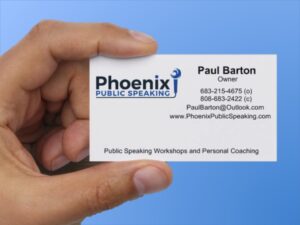
(1) Business Card. A close-up photo of your business card, perhaps with your hand holding it as in the photo at left. This reminds your audience of what you do for business when not presenting and gives them the opportunity to take a photo of the slide for future reference.

(2) Contact Information. If not a business card, perhaps a list of various ways to connect and stay in contact with you to “keep the conversation going.” This could include your social media channels, a mail list signup, or a private group on LinkedIn or Facebook.

(3) Summary of Key Points. A brief listing of the key messages you really want your audience to remember.

(4) Call to Action. The one thing you want the audience members to do or to remember above all else.

(5) Next Steps. A list of the action steps audience members should take following the presentation.

(6) Final Thoughts. A final thought, such as the fortune cookie photo at the top of this post, or a powerful closing quote. Leave your audience feeling hopeful about the future.

(7) Bookend Thought. If your presentation began with a provocative question or thought, you could return to that question or thought on your final slide and bring it all full circle for your audience.

People tend to remember the first and the last thing you say the most so you want to end strong. By choosing a slide that has some meaning for your audience, you’ll have a much more powerful finish and a much better chance of leaving a lasting impression.

Do you have an idea for a final slide that isn’t listed here? Please share your thoughts in the comments below. We’d love to hear them.

Getting Just the Right Volume

How loud should you talk without a microphone in a room full of people? Here’s how to determine just the right volume so that you can influence and persuade your audience when public speaking in a meeting space or making your next business presentation in a conference room.

First, locate the person furthest away from you in the room. Yep, that person waaaay in the back. Now, how loud do you need to talk to be heard by that person? Adjust your volume to that level. If you’re a quiet talker, you might have to “use your outside voice” or you can try these tricks.

But wait, there’s more. Yep, you don’t want that person to simply hear you; you want to be able to influence them with the sound of your voice. So, adjust your volume up a little bit more. There you go. That’s it!

Now you’ll be able to be heard and influence everyone in the room.